Trezor One 2025 – is the old hardware wallet still worth it?
If you’re getting a bit more serious about crypto, sooner or later you run into the same question everyone does: is it time for a hardware wallet?
Paper, exchanges and mobile wallets do the job while we’re talking about “smaller amounts”, but once you start thinking in years instead of days, security becomes a much more serious topic.
One of the longest-living devices on the market is Trezor One – the first truly popular hardware wallet, which more than ten years later is still being sold. The question is: in 2025, with newer models and more competition around, is this “old” Trezor still worth it?
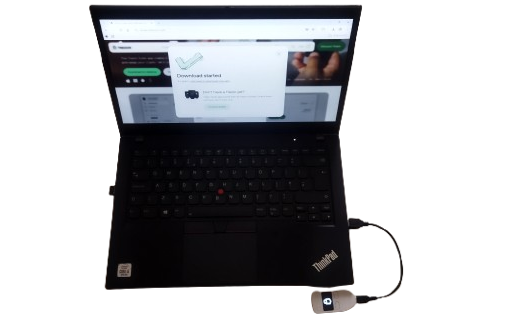
What is Trezor One, and who is it for?
Trezor One is an entry-level hardware crypto wallet designed to give you self-custody without too much complexity. The idea is simple:
- private keys are generated and stored inside the device,
- transactions are confirmed on the small screen with physical buttons,
- and even if your computer is full of malware, the key never leaves the Trezor.
In practice, Trezor One is mainly aimed at:
- users who are moving from exchanges to hardware wallets for the first time,
- a HODL approach (BTC, ETH and a few major coins),
- people who want a decent level of security at a reasonable price instead of jumping straight to “flagship” devices.
Even though it’s an older model, it still supports thousands of coins and tokens and works with the modern Trezor Suite software, which makes it perfectly usable in 2025.
Design, build quality and what’s in the box
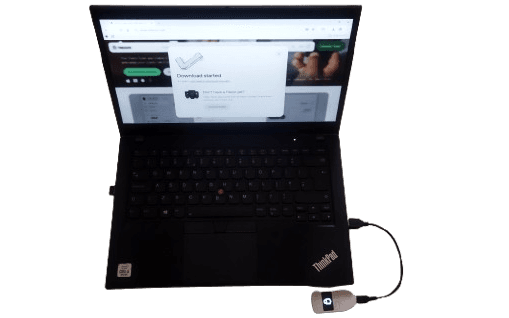
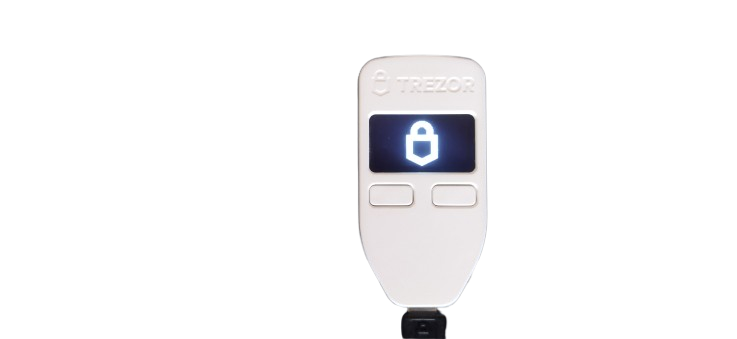
Trezor One is a small, lightweight plastic device with:
- a small monochrome screen,
- two physical buttons below the display,
- and a micro-USB port to connect to your computer (this is where you feel its age – no USB-C here).
The design is minimalist – no flashy RGB lights, no touch screen, no Bluetooth. Everything is focused on one thing: physically confirming what you are doing.
In the box you usually get:
- the device itself,
- a USB cable,
- paper cards for writing down your seed phrase (12/18/24 words),
- stickers and a quick-start leaflet.
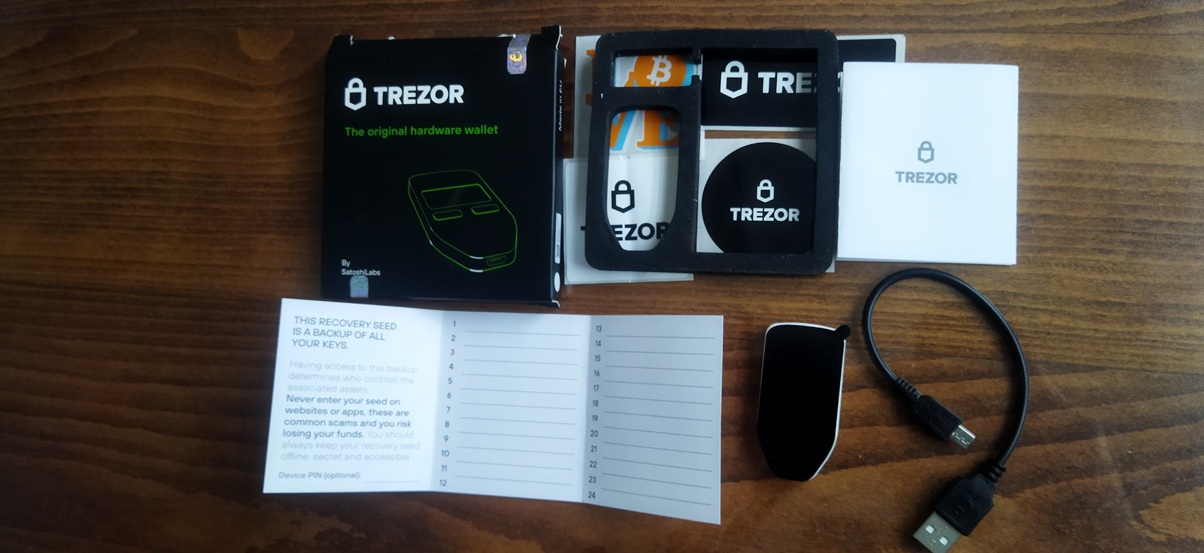
That “plasticky” feel might seem cheap to some people, but in practice it’s more than enough for a device that spends most of its life in a safe place and is used only occasionally.
Security: seed, PIN and passphrase
The heart of every hardware wallet is how it protects your seed phrase (the list of words that acts as a master password for all your coins).
With Trezor One it works like this:
- during initial setup you get a seed phrase (12/18/24 words) which you write down offline,
- every time you use the device, you unlock it with a PIN code that you enter using the screen + buttons,
- optionally you can enable a passphrase – an extra “sentence” that is never stored on the device and effectively creates a hidden wallet.
Advantages of this approach:
- private keys never leave the device,
- you are not relying on the security of your computer or browser extensions,
- open-source firmware allows the community to inspect how the device works “under the hood”.
Disadvantages compared to newer models:
- Trezor One does not have a Secure Element chip like Trezor Safe 3 or some Ledger models,
- the small screen and two buttons are not the most comfortable solution when you sign more complex transactions or manage many accounts.
For an average user who wants to store BTC/ETH and a handful of other coins, Trezor One still offers a very solid level of security – especially if the seed and passphrase are stored properly.
Software and daily use (Trezor Suite)
The official software for using the device is Trezor Suite, which you can use as:
- a desktop app (Windows, macOS, Linux),
- or a web app (with Trezor Bridge / browser integration).
With Suite you get:
- an overview of all your accounts and coins,
- sending and receiving transactions,
- an integrated portfolio view and history,
- options to route traffic through Tor for extra privacy,
- integrations for swap / buy (where available).
The interface is clean and easy to understand even if Trezor One isn’t your first hardware wallet. The main difference compared to newer models is that Trezor One has a smaller screen, so you see shorter strings and less detail on the device itself – but for basic transactions that’s still perfectly fine.
Supported assets – is Trezor One enough in 2025?
Trezor One supports a large number of coins and tokens, including:
- Bitcoin (BTC)
- Ethereum (ETH) and most ERC-20 tokens
- Litecoin (LTC), Bitcoin Cash (BCH), Dogecoin (DOGE)…
For some newer or more complex ecosystems (for example parts of the DeFi / L2 world), support may require:
- using third-party software (Metamask + Trezor, specialized wallets),
- or it’s simply more convenient to use newer models that support them “out of the box”.
In short:
- If you focus on BTC + a few major coins, Trezor One will be more than enough in most cases.
- If you plan to live deep in DeFi, use multiple chains and NFTs, you’ll be better off with a Trezor Safe 3, Model T or a higher-end Ledger.
Price and competition – where does Trezor One deliver value?
At the time of writing, approximate prices in EU stores look something like this:
- Trezor One – around €50
- Trezor Safe 3 – around €80
- Ledger Nano S Plus – around €50–60
- Ledger Nano X – around €130–140
To visualise the gap:
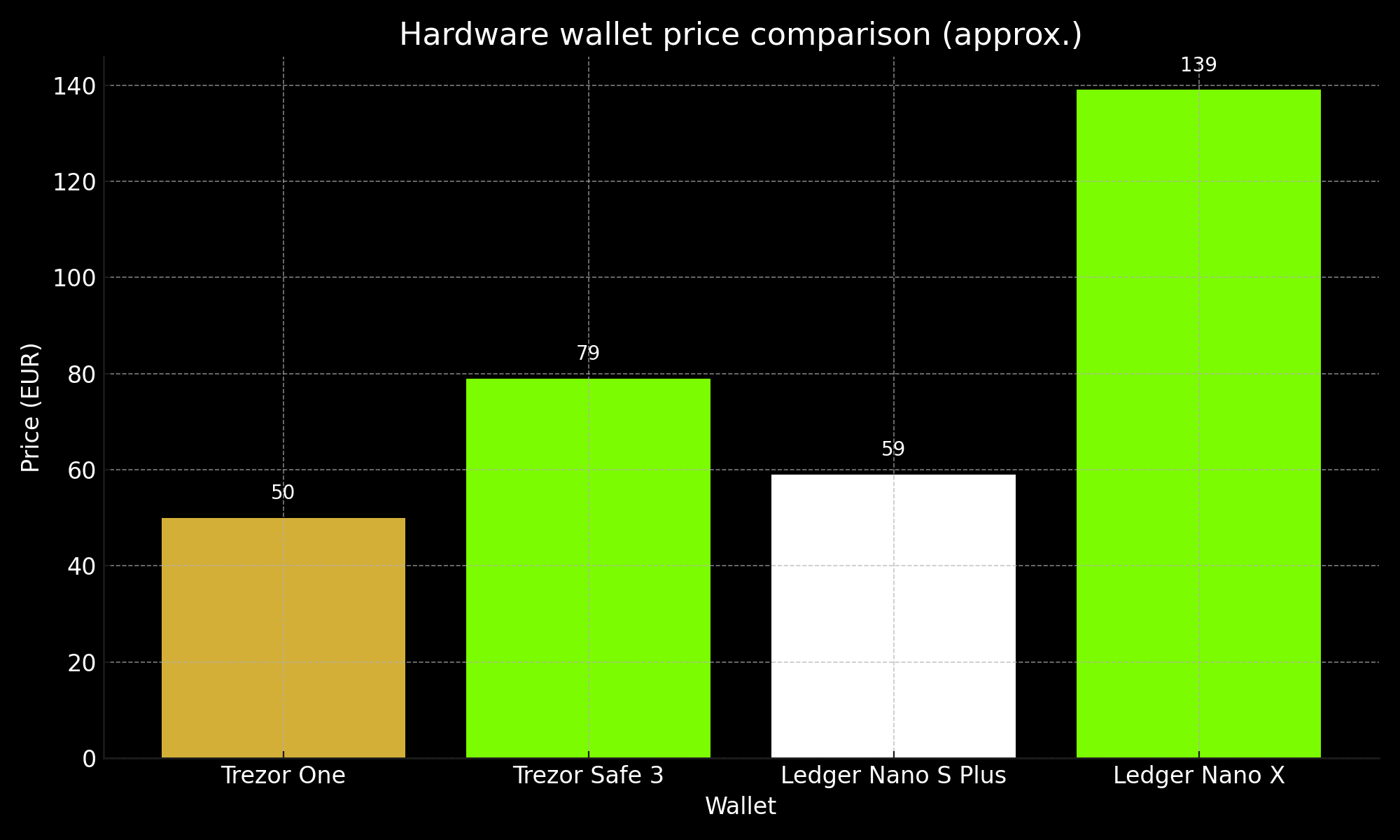
The point of the chart is not to be accurate down to the last cent, but to show what you get for roughly the same price bracket.
- Trezor One and Ledger Nano S Plus sit in the same “budget” segment.
- Trezor Safe 3 adds a Secure Element and a more modern design for a bit more money.
- Ledger Nano X bumps the price quite a lot, but brings Bluetooth and extra mobile flexibility.
If your main criterion is “secure cold storage for relatively little money”, Trezor One still holds up surprisingly well.
Pros and cons of Trezor One in 2025
What’s good:
- Price around €50 – a very accessible entry point into hardware wallets.
- Many years on the market, huge user base and a proven track record.
- Open-source firmware and a transparent approach to security.
- Solid support for major coins and ERC-20 tokens.
- Trezor Suite is simple enough for beginners, but capable enough for more advanced users.
What’s not so great / where its age shows:
- No Secure Element chip like the newer Trezor Safe 3.
- Micro-USB instead of USB-C.
- Small monochrome screen with limited space for information.
- No Bluetooth – only cable + computer (or phone with adapters and a bit of extra fiddling).
- For a lot of the modern multi-chain / DeFi world you’ll be more comfortable with a newer model.
Conclusion – who is Trezor One for, and is it worth buying?
In 2025, Trezor One feels like a classic, dependable hardware wallet: it may not be the most modern or the most feature-packed, but it still does the job it was built for very well.
It makes sense to consider it if:
- you want your first hardware wallet and you’re holding BTC/ETH and a few more major coins,
- you care more about having your seed and keys offline than having full DeFi coverage,
- you’re looking for a sensible balance between price and security.
If you plan to dive deep into DeFi, use many chains and want a Secure Element and the latest security features, then it’s worth looking at Trezor Safe 3, Model T or higher-end Ledgers.
But if your goal is the same as many users who buy it – “for this price it’s hard to find something more solid for safe HODLing” – Trezor One is still a very reasonable and reliable choice.
Disclaimer: This article is for informational purposes only and does not constitute financial or investment advice. Cryptocurrencies are high-risk assets and any decision to buy, sell or hold funds is your sole responsibility.